All guides
GuidesStart here
What Extolly does
A short tour: what Extolly reads from Tally, what it shows you, what it can send back, and what you need to use it.
3 minute read
In one paragraph
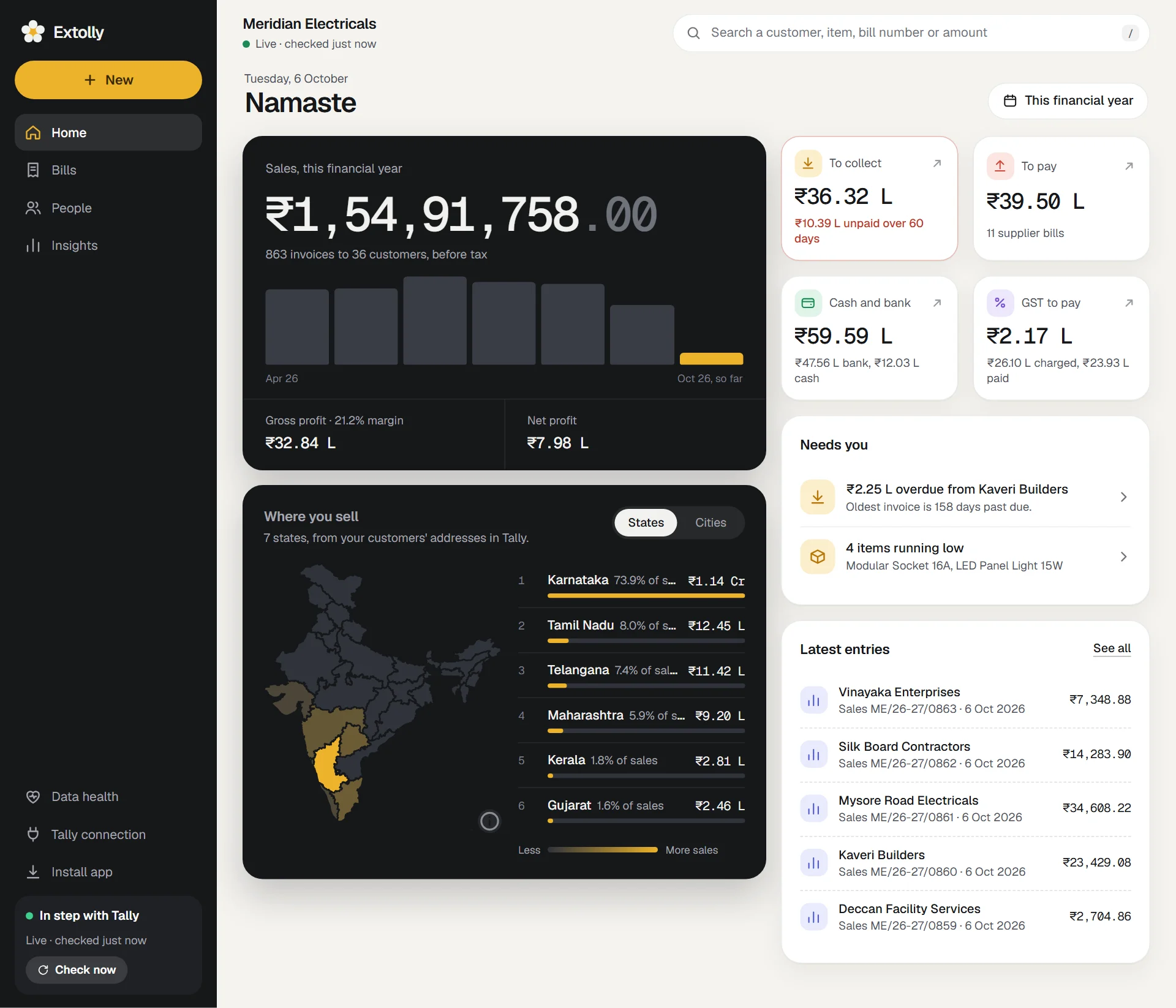
Extolly for Tally is a Windows app that sits beside TallyPrime. It reads the books you already keep in Tally, keeps a copy in step with them, and shows that copy as a dashboard: sales, money to collect, money to pay, stock, GST and every entry. When you make a bill or record a payment in Extolly, it writes it into Tally for you.
Tally stays the book of record. You do not move your data anywhere, and you do not change how you work in Tally.
What it reads
- Every entry: sales, purchases, receipts, payments, credit and debit notes, journals, orders and the rest.
- Your ledgers, with their groups, addresses, GSTINs and balances.
- Your stock items, with units, stock groups, HSN codes, GST rates and quantities.
- The unpaid bills Tally tracks for each customer and supplier.
After each read, Extolly works out every ledger balance and stock quantity from what it holds and compares each one with Tally's own figure. If any differ, it tells you. See How syncing works.
What it shows
Four places, and one button to make something new.
| Place | What is there |
|---|---|
| Home | Sales for the period, to collect, to pay, cash and bank, GST, a map of where you sell, and what needs you today |
| Bills | Every entry in your books as a day book, newest first, with month totals |
| People | Customers and suppliers, each with a month-by-month account |
| Insights | Sales, Money, Stock, GST, Reports, Segments and Repeat buyers |
What it can send to Tally
Press New and Extolly can make any of these, and put them into Tally:
- A sales bill, regular or proforma, with GST worked out for you
- A purchase bill
- A payment received or a payment made
- A credit note or a debit note
- An expense or other entry: rent, salary, a bank transfer, a journal
- A new customer or supplier
It can also change, cancel or delete entries that are already in Tally. See Change, cancel or delete an entry.
What you need
- A computer with Windows 10 or 11 that runs TallyPrime.
- TallyPrime with your company open. Extolly is built and tested on TallyPrime 7.1.
- About five minutes.
The app does not need an internet connection to read your books. Plans and prices are on the pricing page.
Where it runs
Today, Extolly opens on the computer that runs Tally: in its own window, or in a browser on that computer. Opening your books on your phone or from another place arrives with Extolly cloud. See Extolly on your phone.
Next
Still stuck? Write to support@extolly.com and say which step you are on.