Your Tally books, finally easy to read.
Sales, money to collect, stock and GST, read straight from TallyPrime and checked against it. Make a bill here and it lands in Tally.
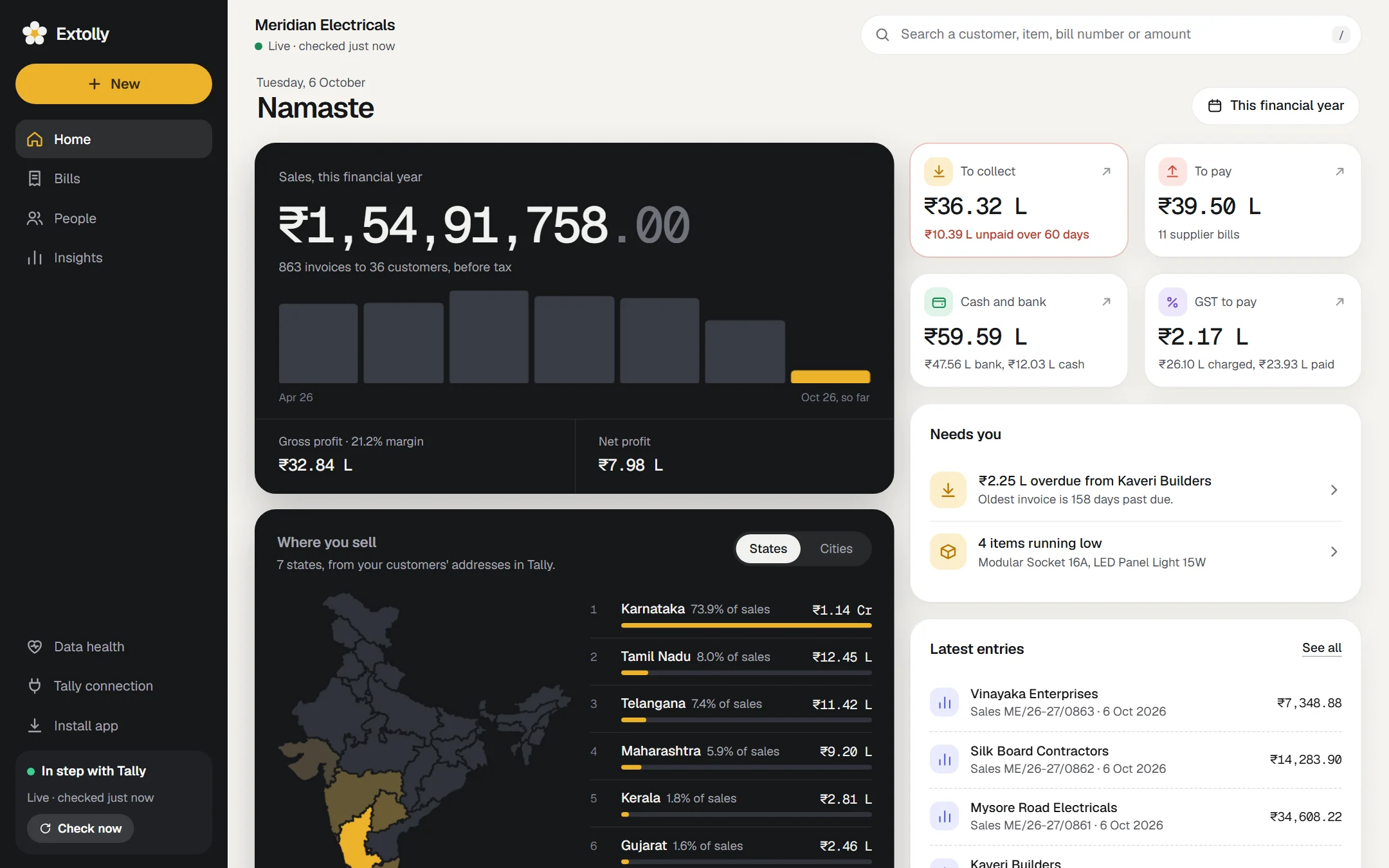
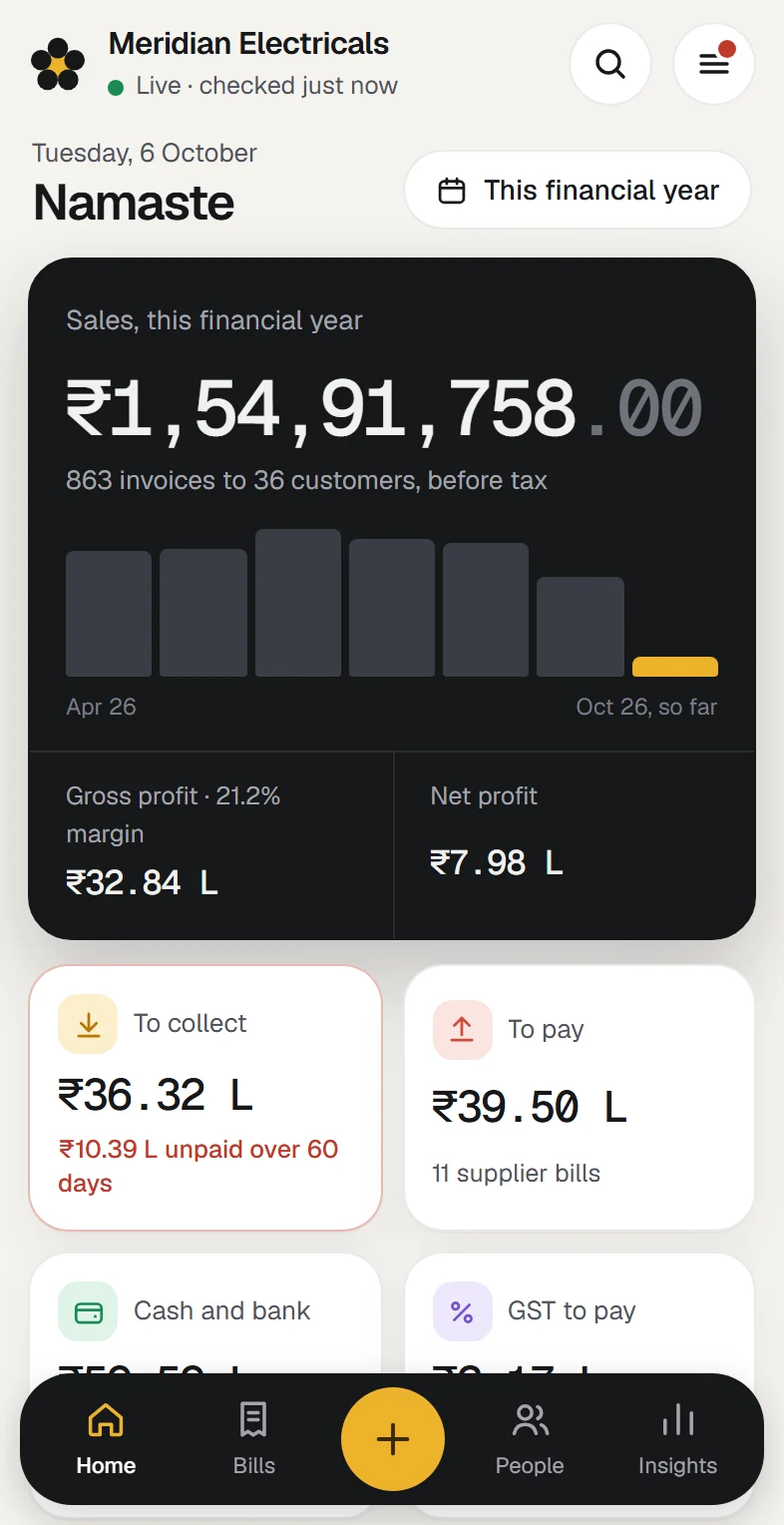
Every screen on this site shows a made-up sample company, Meridian Electricals. None of it is a real business's books.
Your books live in Tally, as always. Extolly reads them, and writes only what you make here.
After each read, every ledger balance and stock quantity is matched with Tally's own. If one differs, you are told which.
The copy sits on the same PC as Tally. No figures are sent to us or to anyone else.
Keep entering in Tally exactly as you do today. No export, no import, nothing added inside Tally.
- Works with TallyPrimeBuilt and tested on TallyPrime 7.1
- Runs on Windows 10 and 1164-bit
- Made in IndiaFor businesses that keep their books in Tally
What it does for your business.
Your books already hold the answers. Extolly puts them in front of you, so you can act on them the same day.
See where the business stands, yourself
No waiting for someone to send a report. Open Extolly and today's sales, what you are owed, what you owe and the cash in hand are already there.
- Sales for any period, with gross and net profit
- To collect, to pay, cash and bank, as of today
- Sales by state and city, on a map of India
- What needs you today, in one short list
Know whom to call first
Every unpaid invoice, sorted by how late it is. The customers who owe the most are at the top, with the age of their oldest bill.
- Unpaid invoices by age: 0 to 30 days, 31 to 60, 61 to 90, over 90
- Who owes the most, and how overdue they are
- Each customer's account, month by month
- Record a payment in a few taps, and it goes into Tally
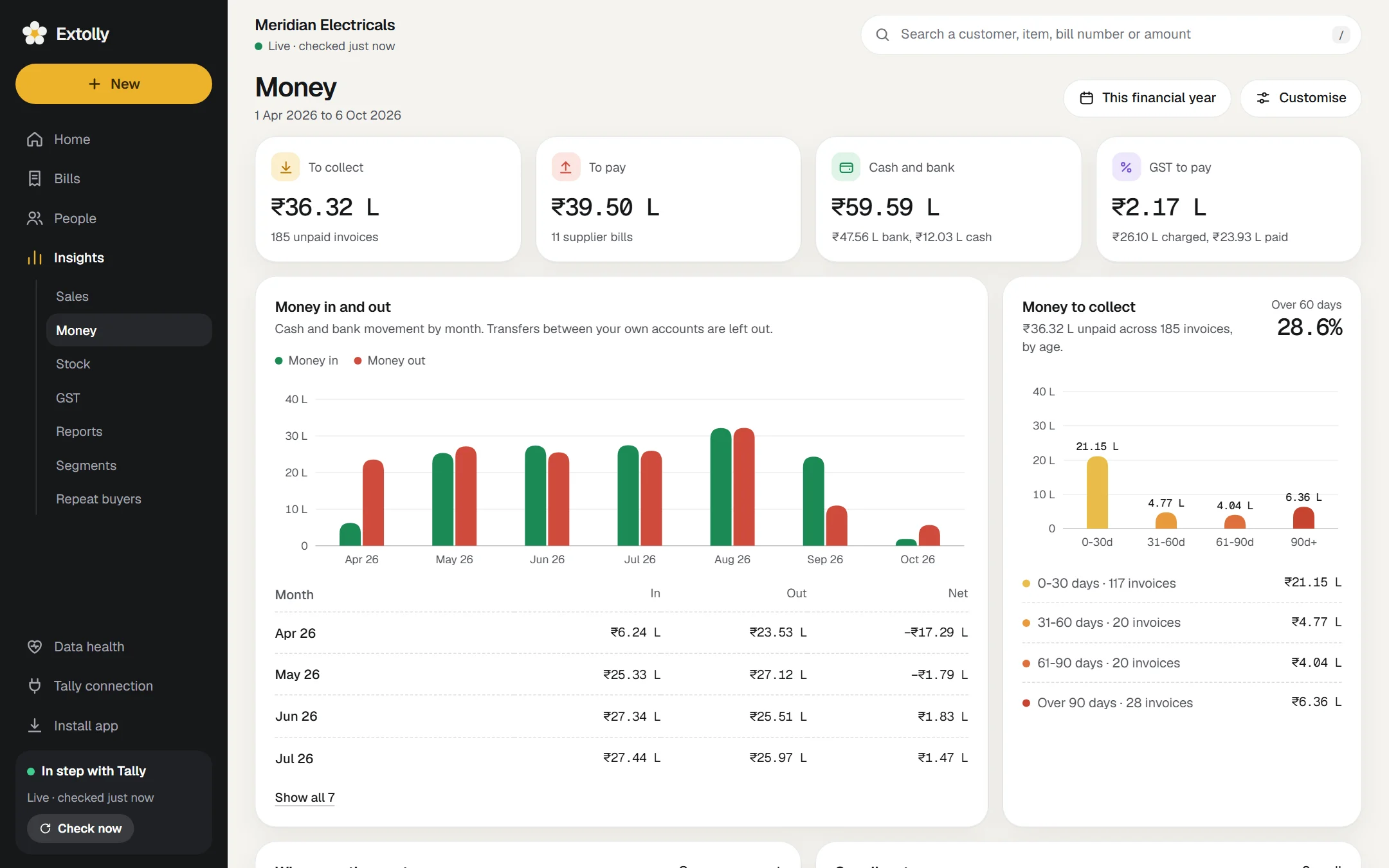
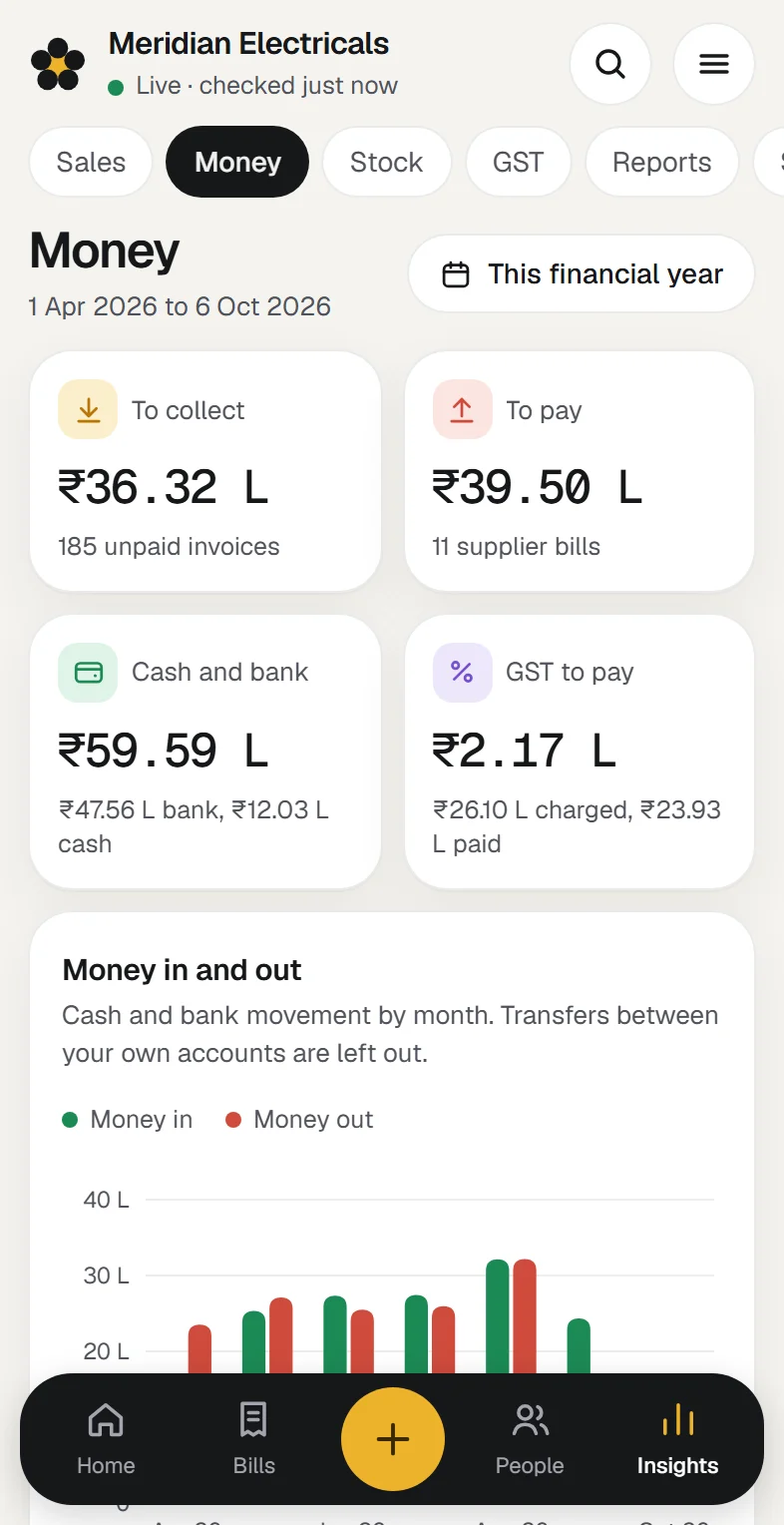
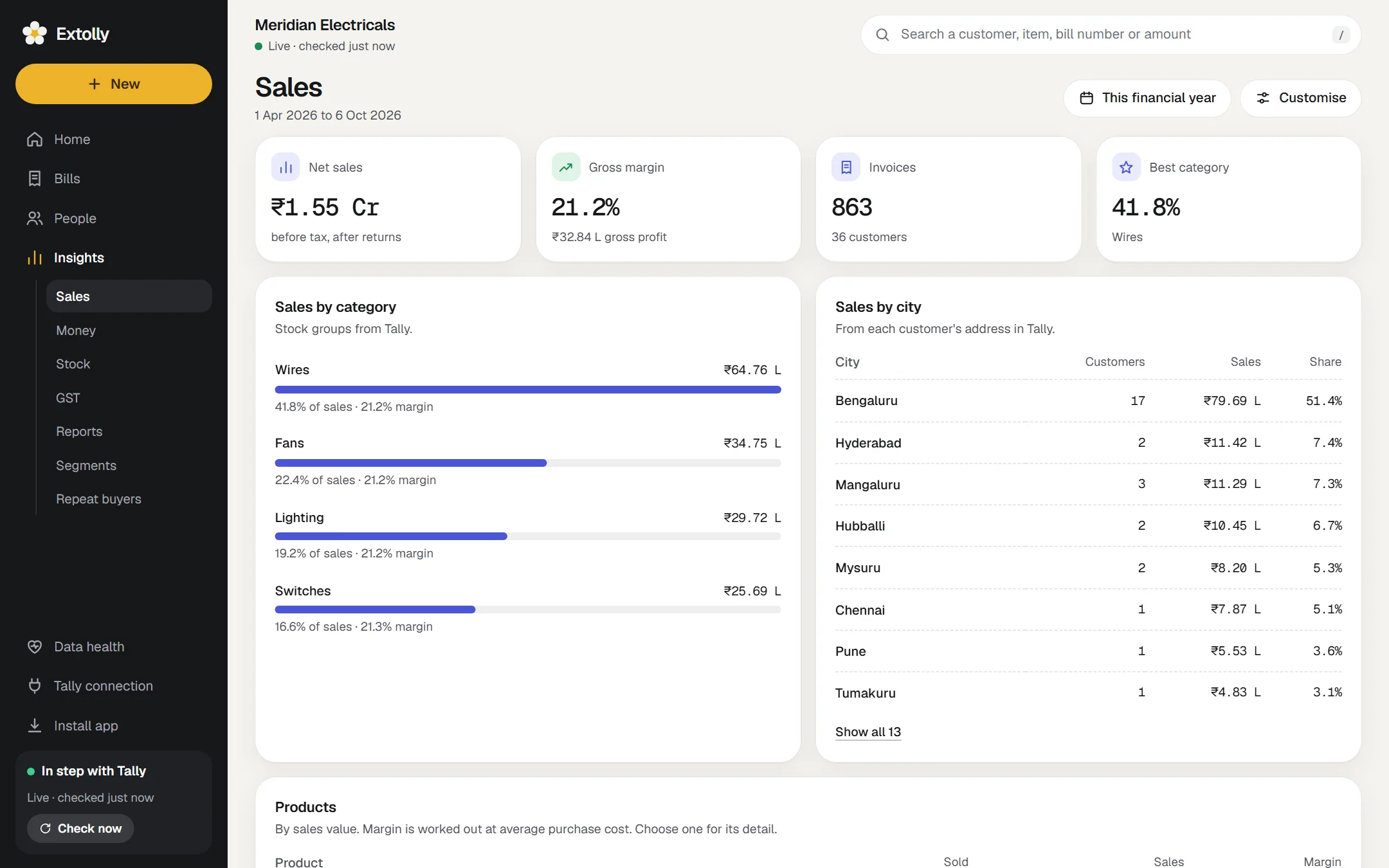
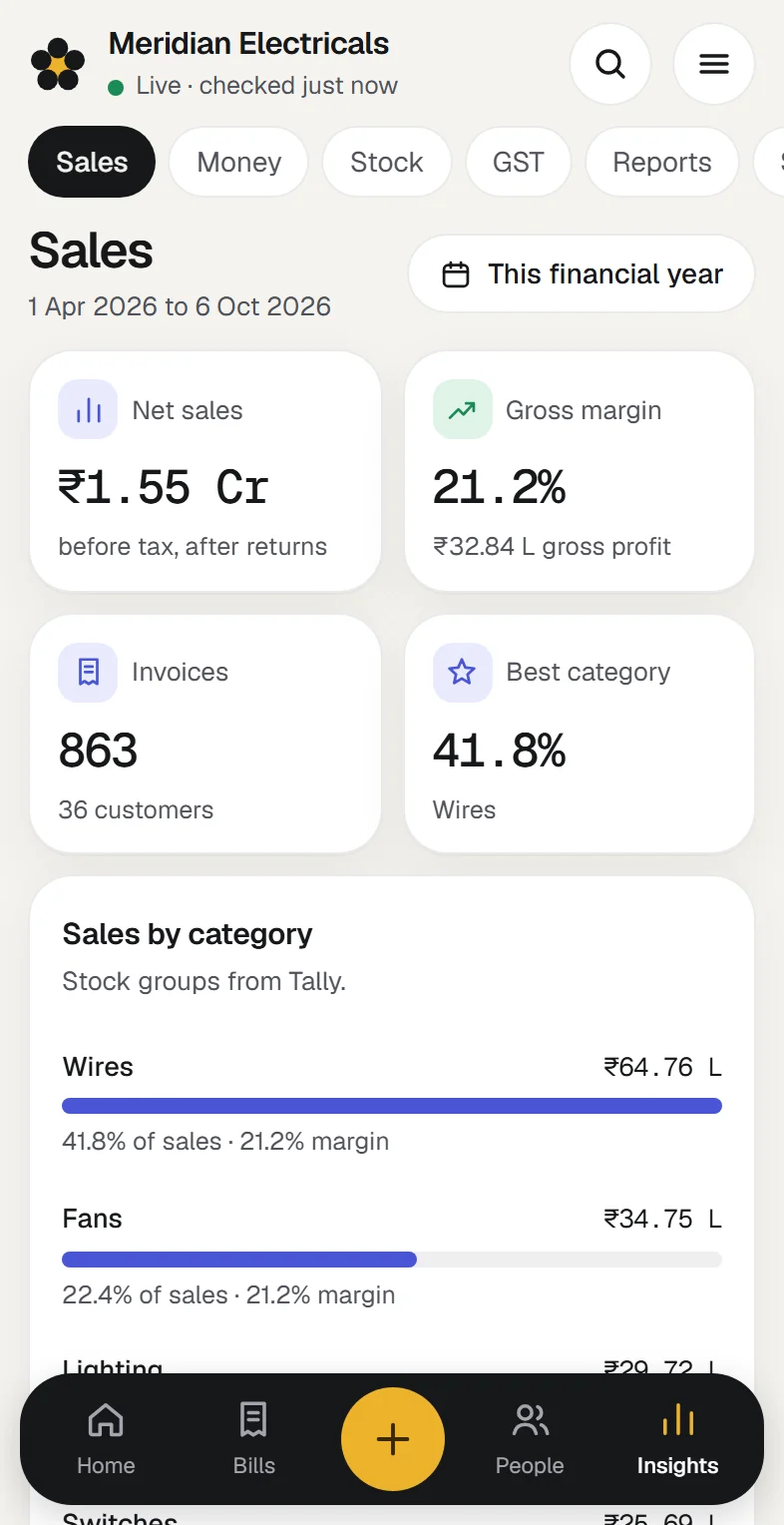
See what sells, where, and to whom
Sales by product, category, city and customer. Spot the customers who have stopped ordering while there is still time to ring them.
- Sales and margin by product and by category
- Sales by city and by state
- Customers gone quiet: no invoice for 45 days
- Repeat buyers: who came back after their first invoice
Make a bill without opening Tally
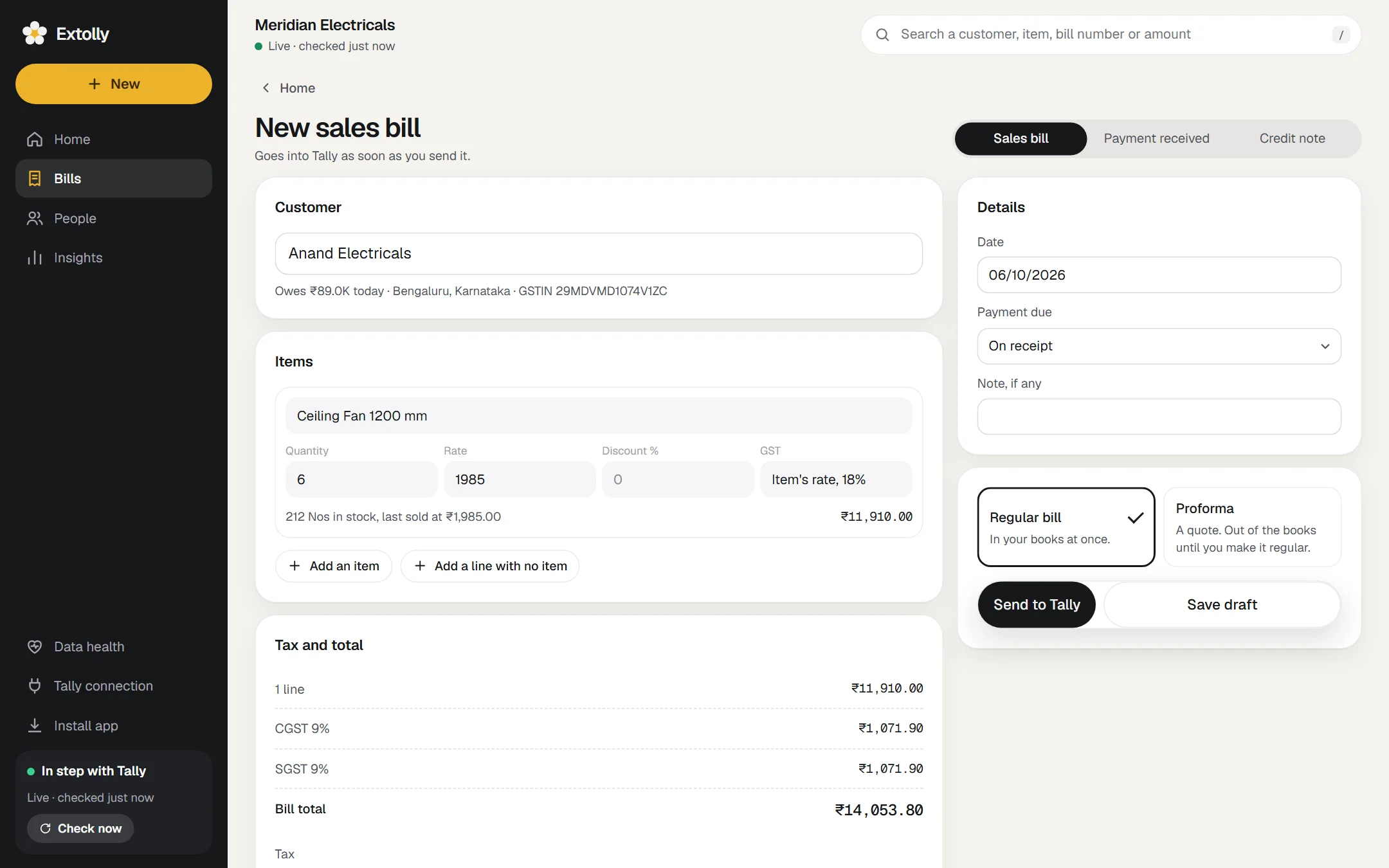
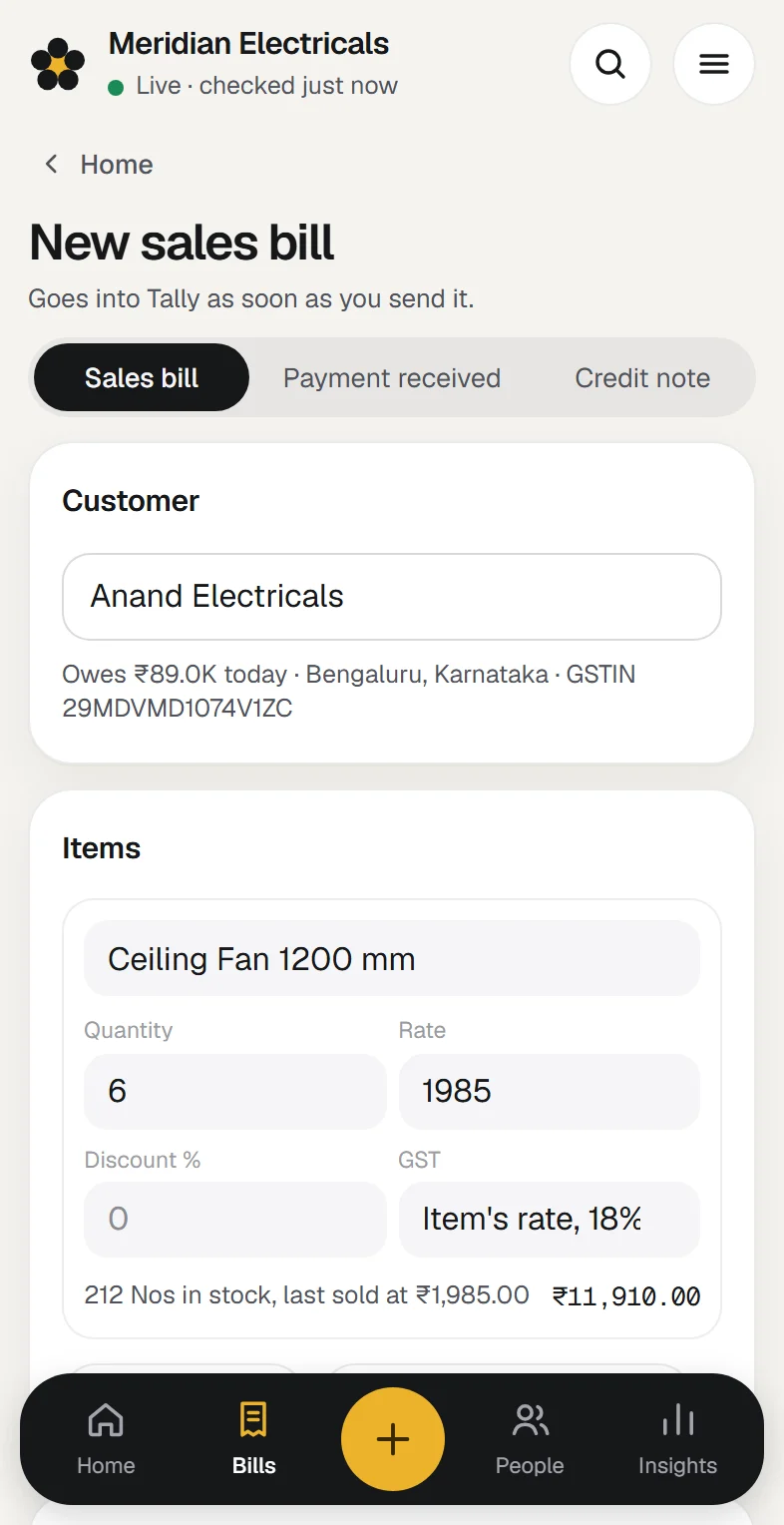
Pick the customer and the items. GST is worked out for you, and the bill lands in Tally as a proper entry.
- Sales and purchase bills, credit and debit notes
- Payments, expenses and bank transfers
- CGST and SGST, or IGST, worked out from the customer's state
- Print the bill, or save it as a PDF
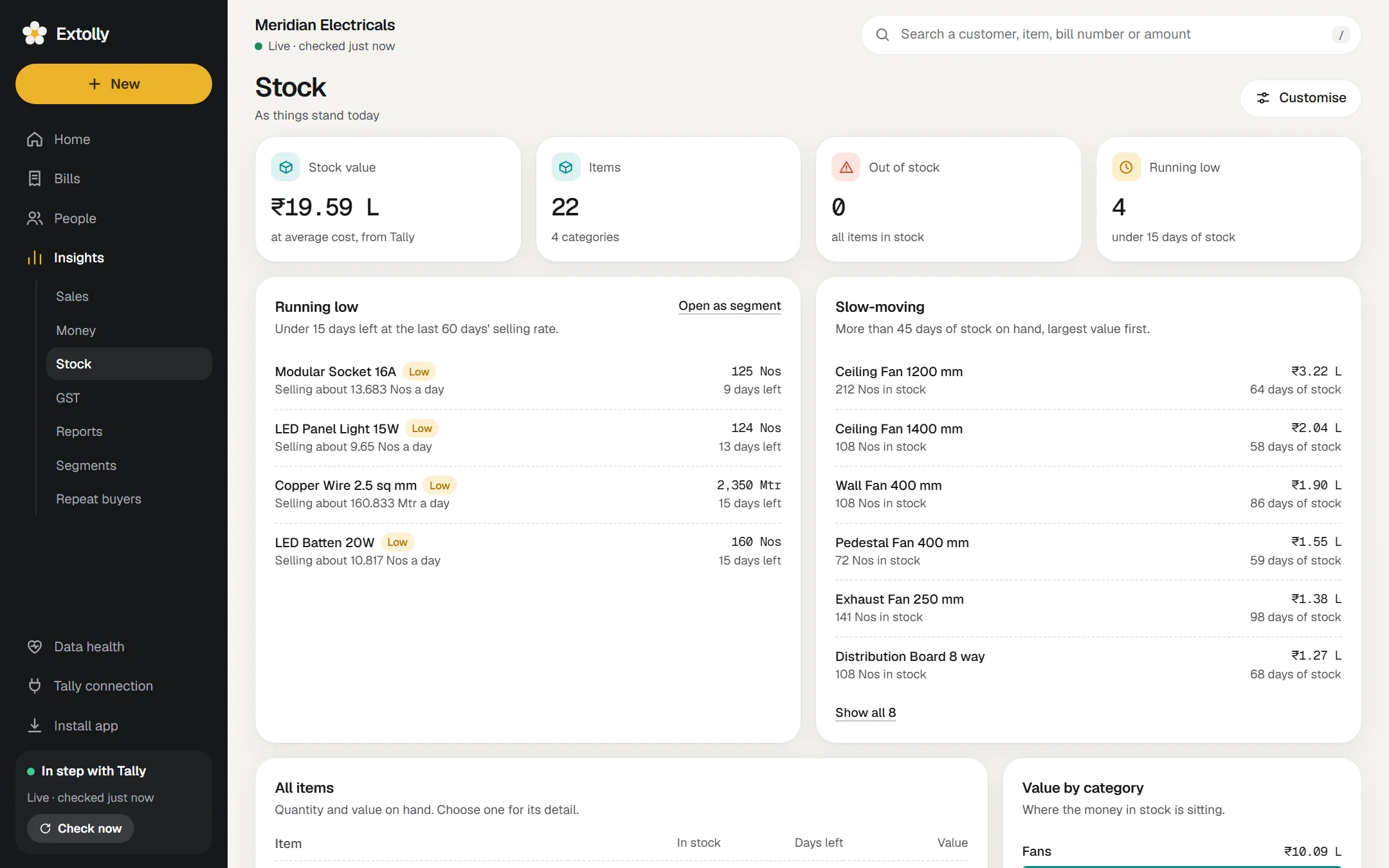
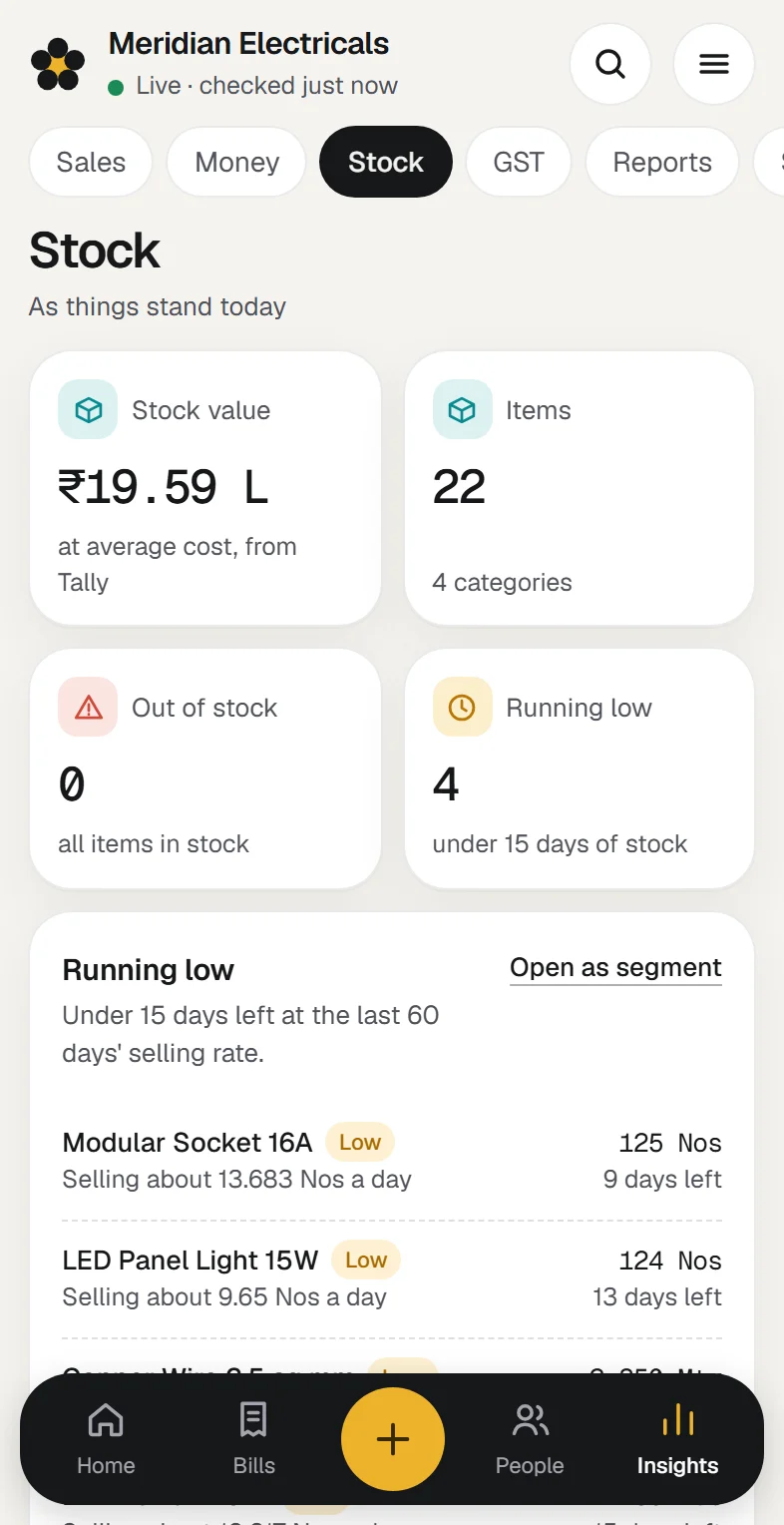
Reorder before you run out
Extolly watches how fast each item sells and tells you which will run out, and which have stopped moving.
- Items running low: under 15 days of stock left
- Slow-moving stock, largest value first
- Stock value by category
- Quantity and value on hand, for every item
GST figures ready before the due date
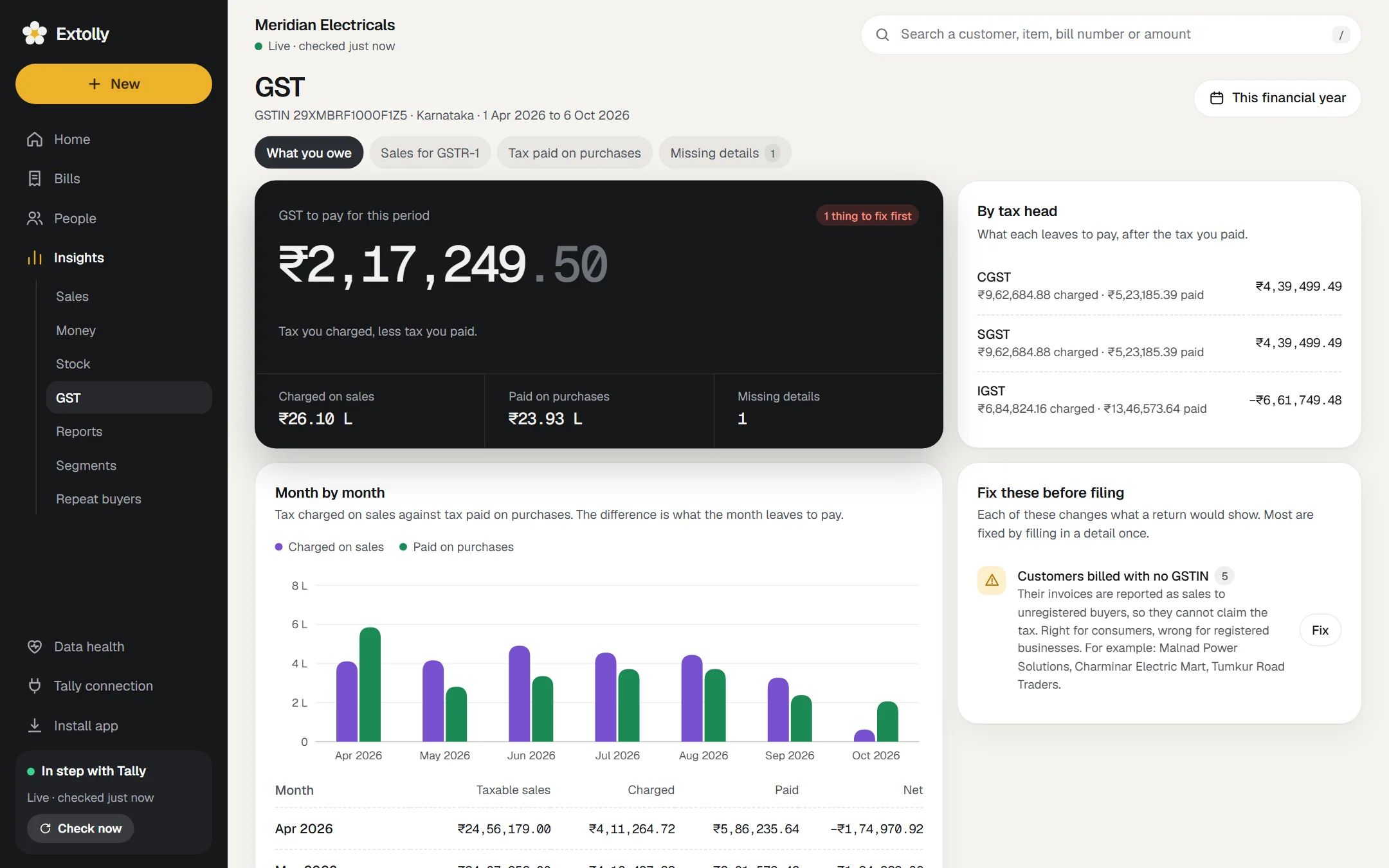
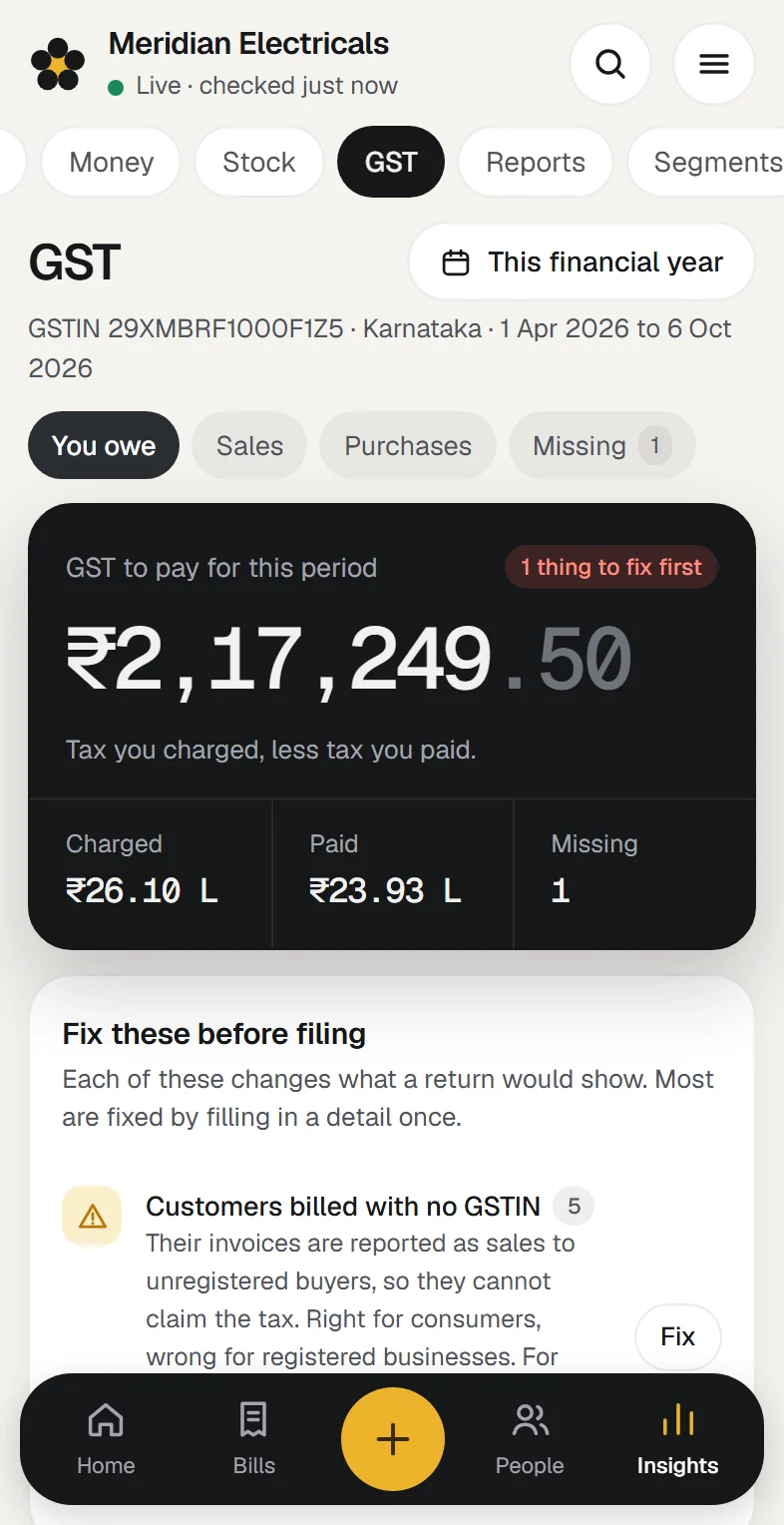
Working papers built from your entries: what you owe, your sales laid out for GSTR-1, and what to fix before filing.
- GST to pay, or credit to carry forward, by tax head
- Sales laid out for GSTR-1, with an HSN summary
- Tax paid on purchases, bill by bill
- What to fix before filing, such as a missing GSTIN
This is a sample company. It takes about five minutes to see your own.
Download for WindowsMake a bill in Extolly. Find it in Tally.
Bills, payments, credit and debit notes, rent, a bank transfer. Each goes into Tally as a proper entry, the same as if you had typed it there.
- No duplicate bills
Send the same bill twice and Tally still holds one.
- No silent overwrites
If someone changed the entry in Tally after you opened it, Extolly stops and shows you instead of writing over it.
- No bill lost on the way
A bill Tally refuses stays on your screen, with Tally's reason, until you fix or discard it.
- You write the bill
Pick the customer and the items. GST is worked out for you: CGST and SGST within your state, IGST outside it.
- Extolly sends it
From the computer that runs Tally. If Tally is closed, the bill waits and goes in when Tally opens.
- Tally keeps it
Under its own number, like any entry typed there.
- Extolly reads it back
And compares it with what was sent, so what you see is what Tally holds.
Made for the way books are kept in India.
GST, lakhs and crores, an April to March year. Extolly reads your books the way you already think about them.
GST is built in, not bolted on.
Write a bill and the tax is worked out for you. At the end of the month the figures are already laid out the way a return asks for them.
- CGST and SGST within your state, IGST outside it
- Sales tables for GSTR-1, with an HSN summary
- Tax paid on purchases, bill by bill
- A GSTIN is checked as you type it, against its state and its last character
These are working papers to help you or your CA prepare a return. Filing stays where you do it today.
Amounts are written the Indian way, to the paisa, and in words on every bill.
₹1,54,91,758.00One crore fifty-four lakh ninety-one thousand seven hundred and fifty-eight
"This financial year" follows the year your company keeps in Tally, with nothing to set up.
See where you sell on a map of India, by state and by city, from your customers' own addresses.
Every figure opens down to its entries, and every report downloads as a spreadsheet.
Do not take our word for it. Check it against Tally.
A screen called Data health puts Extolly's figures beside Tally's own. You, or your accountant, can see in seconds whether they agree.
- Every ledger balance, matched
61 of 61 in the sample company.
- Every stock quantity, matched
22 of 22 items.
- Net profit and stock value, to the rupee
Extolly's figure and Tally's, side by side.

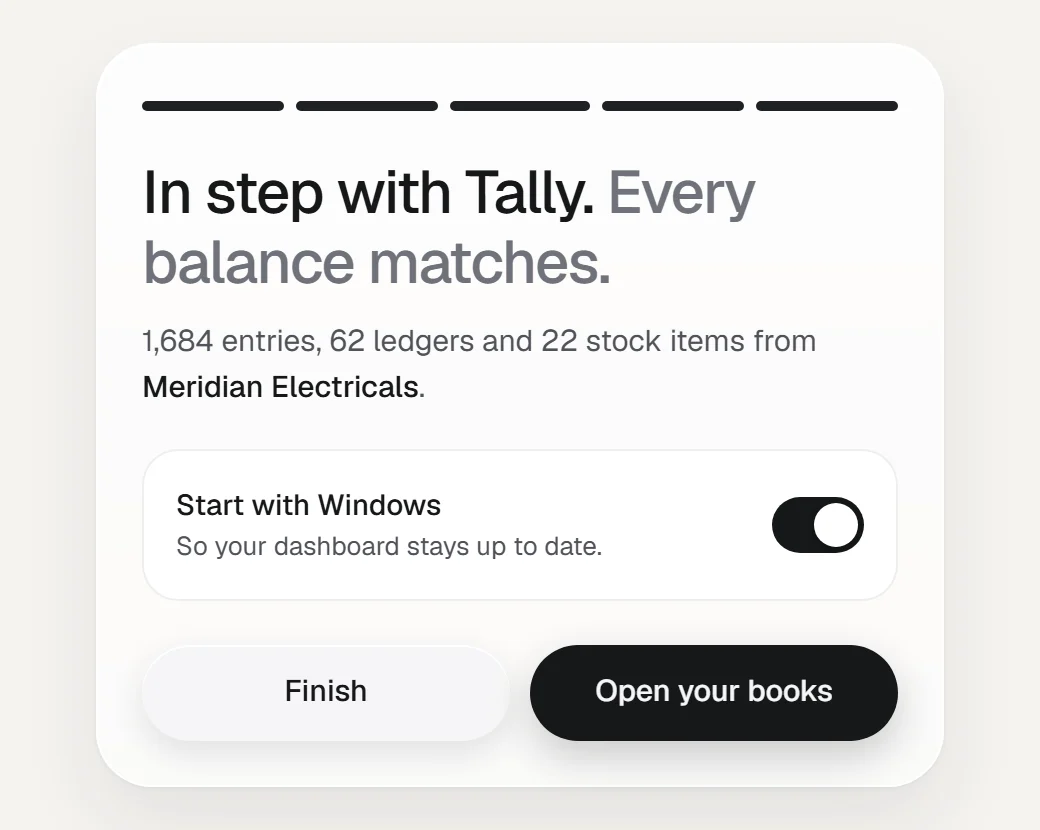
Up and running in about five minutes.
No export, no import, no one to call. Extolly uses the connection TallyPrime itself provides, finds Tally on the same computer and starts reading.
Install it beside Tally
Download the installer and run it on the computer where TallyPrime runs.
Pick your company
Extolly lists the companies open in Tally. Tick one or several and it starts reading.
Open your books
When every balance matches Tally, your dashboard is ready. It keeps itself up to date from then on.
The full walk-through
And the rest of what it does.
Each of these has a guide that shows it step by step.
Every entry in your books, newest first, with a total for each month.
Read the guideCustomer and supplier accountsWhat was billed, what was paid and the balance, month by month.
Read the guideReports you build yourselfChoose what to measure and how to group it. Save it, or download it.
Read the guideSegmentsLists that keep themselves up to date, such as customers who owe for over 60 days.
Read the guideChange, cancel or deleteCorrect a bill that is already in Tally, without retyping it.
Read the guideSeveral companiesEach company you keep in Tally gets its own books here.
Read the guideData healthWhether the figures agree with Tally, and what Tally is missing.
Read the guideSales, Money and Stock your wayAdd, remove and reorder the cards on each screen.
Read the guideSeveral companies? Each gets its own books.
Open them in Tally, tick them in Extolly, and each company gets its own dashboard, bills and reports. Nothing typed for one can land in another.
Your phone is next.
Every screen is already built to fit a phone. Opening your books away from the Tally computer arrives with Extolly cloud, which is not open yet.
Priced by the number of companies. Nothing else to work out.
| Plan | One company₹999 a month | Up to three companies₹2,499 a month |
|---|---|---|
| Companies you can add | 1 company | Up to 3 |
| The whole dashboard: Home, Bills, People, Insights | Included | Included |
| Bills and payments sent into Tally | Included | Included |
| GST working papers and GSTR-1 tables | Included | Included |
| Reports, segments and spreadsheet downloads | Included | Included |
| Every balance checked against Tally | Included | Included |
| Download for Windows | Download for Windows |
Both plans include
- The whole dashboard: Home, Bills, People, Insights
- Bills and payments sent into Tally
- GST working papers and GSTR-1 tables
- Reports, segments and spreadsheet downloads
- Every balance checked against Tally
Billing is not open yet. You can install the app today.
What people ask before they install.
You are trusting this with your books. These are fair questions.
Can it harm my Tally data?
Reading cannot change anything in Tally. Writing happens only when you make or change something in Extolly, and it goes in through Tally's own import, the door Tally itself provides for connected programs. Tally applies its usual checks and refuses what it does not accept. Keep your normal Tally backups, as you would anyway.
How do I know the figures are right?
You do not have to take it on trust. After every read, Extolly works out each ledger balance and stock quantity from what it holds and matches them with Tally's own closing figures. The Data health screen shows how many match and names any that do not. Each version is also put through more than 300 automatic checks before it is released.
Do I have to change how I use Tally?
No. Carry on entering everything in Tally exactly as you do today. Extolly reads your books in the background and keeps its screens up to date. Tally remains the book of record.
Will it slow Tally down?
Most checks are one small question to Tally, once a minute. A fuller check, which also looks for entries deleted in Tally, runs every ten minutes. If Tally is slow to answer, Extolly spaces its checks out by itself, and you can set it to every 5 or 15 minutes.
Where are my books kept?
On the same computer as Tally, inside your Windows profile. No figures or entries are sent to us or to anyone else. Security and your data has the detail.
What if I stop using it?
Uninstall it. Tally is exactly as you left it, and every bill you made through Extolly is still there as an ordinary Tally entry.
Which versions of Tally does it work with?
It is built and tested on TallyPrime 7.1. Earlier releases of TallyPrime and Tally.ERP 9 have not been tested yet, so we do not promise them.
What does it cost?
₹999 a month for one company, or ₹2,499 a month for up to three. Billing is not open yet, so the app can be installed today. See pricing.
Can I see my books on my phone?
Not yet. Today the dashboard opens on the computer that runs Tally. Every screen is already built for a phone, and opening your books from anywhere arrives with Extolly cloud.
What happens when Tally is closed?
Extolly shows your books as they stood at the last read, and says so at the top of every screen. A bill made in the meantime is saved and goes into Tally when it opens.
Is this a GST filing tool?
No. The GST screens are working papers built from your books to help you or your accountant prepare a return. They are not a filed return, and should be checked against Tally before filing.
Windows showed a warning when I ran the installer. Is that expected?
Yes, for now. The installer is not yet signed with a publisher certificate, so Windows shows its "Windows protected your PC" notice. Choose More info, then Run anyway. The install guide shows each step.
Something else? The guides cover every screen in the app's own words, or write to support@extolly.com.
Talk to a person before you decide.
Tell us a little about your business and we will call you, show you Extolly working, and answer whatever you want to ask about your own Tally.
- support@extolly.com
See your own books this way. It takes about five minutes.
Install it beside Tally and open your books. If it is not for you, uninstall it and Tally is exactly as it was.