All guides
GuidesYour books
Customers and suppliers
The two lists under People, one party's month-by-month account, how overdue is worked out, adding or editing a party, and Repeat buyers.
5 minute read
The lists
People opens Customers. Suppliers is beside it.
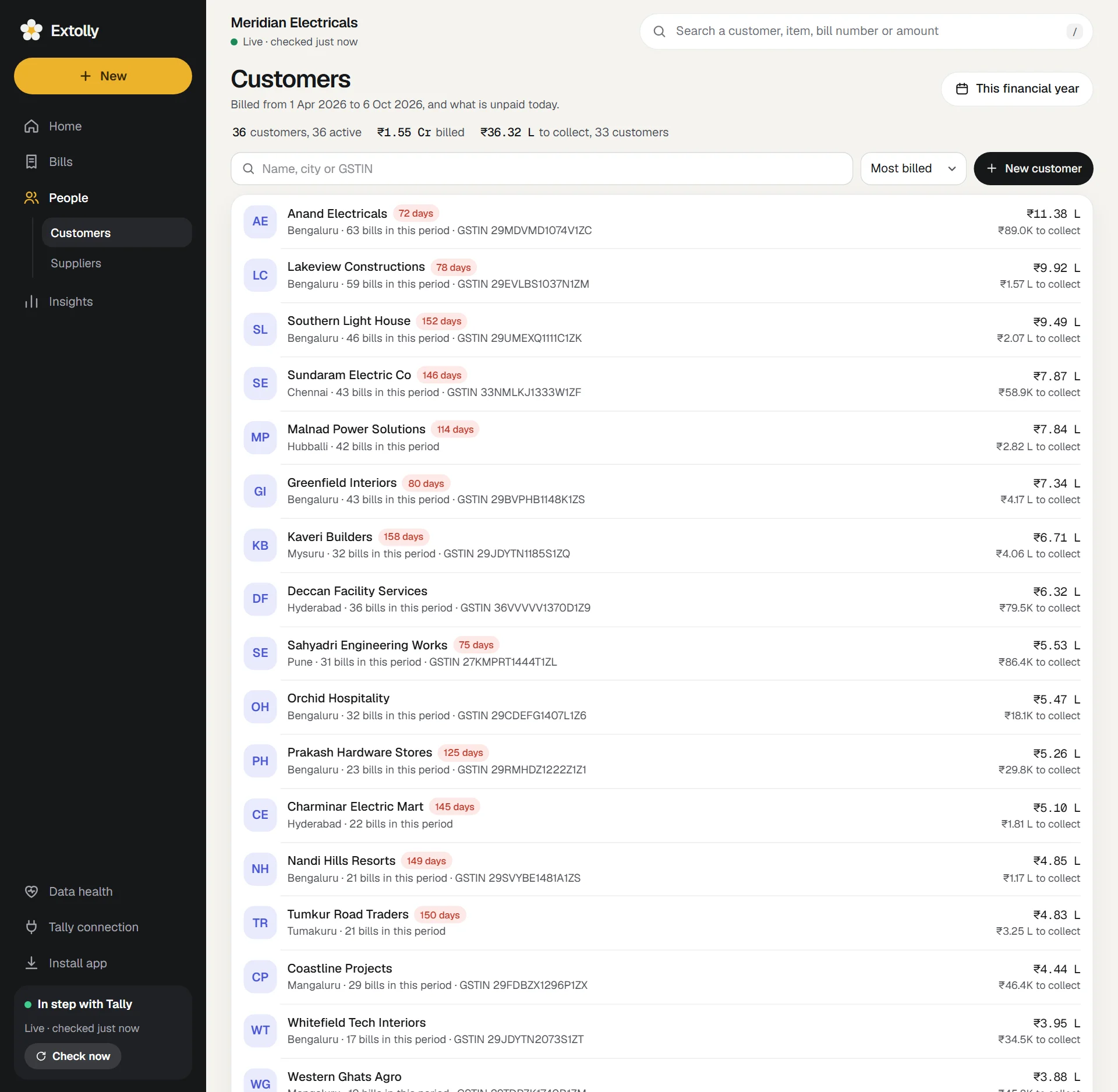
The line above the list sums it up: how many customers, how many were active in the period, how much was billed, and how much is to collect from how many.
Each row shows the party's name, city, the number of bills in the period, and their GSTIN. On the right is the amount billed in the period and, under it, what is to collect today (or to pay for a supplier), in advance, or settled. A red tag such as 75 days appears when the oldest unpaid bill is more than 60 days old.
- Search by name, city or GSTIN.
- Sort by Most billed, Most unpaid, Latest or A to Z.
- New customer or New supplier adds one to Tally.
Who is listed: every ledger under Sundry Debtors (Sundry Creditors for suppliers), plus anyone else a bill was made out to.
One party's account
Press a row to open that customer or supplier.
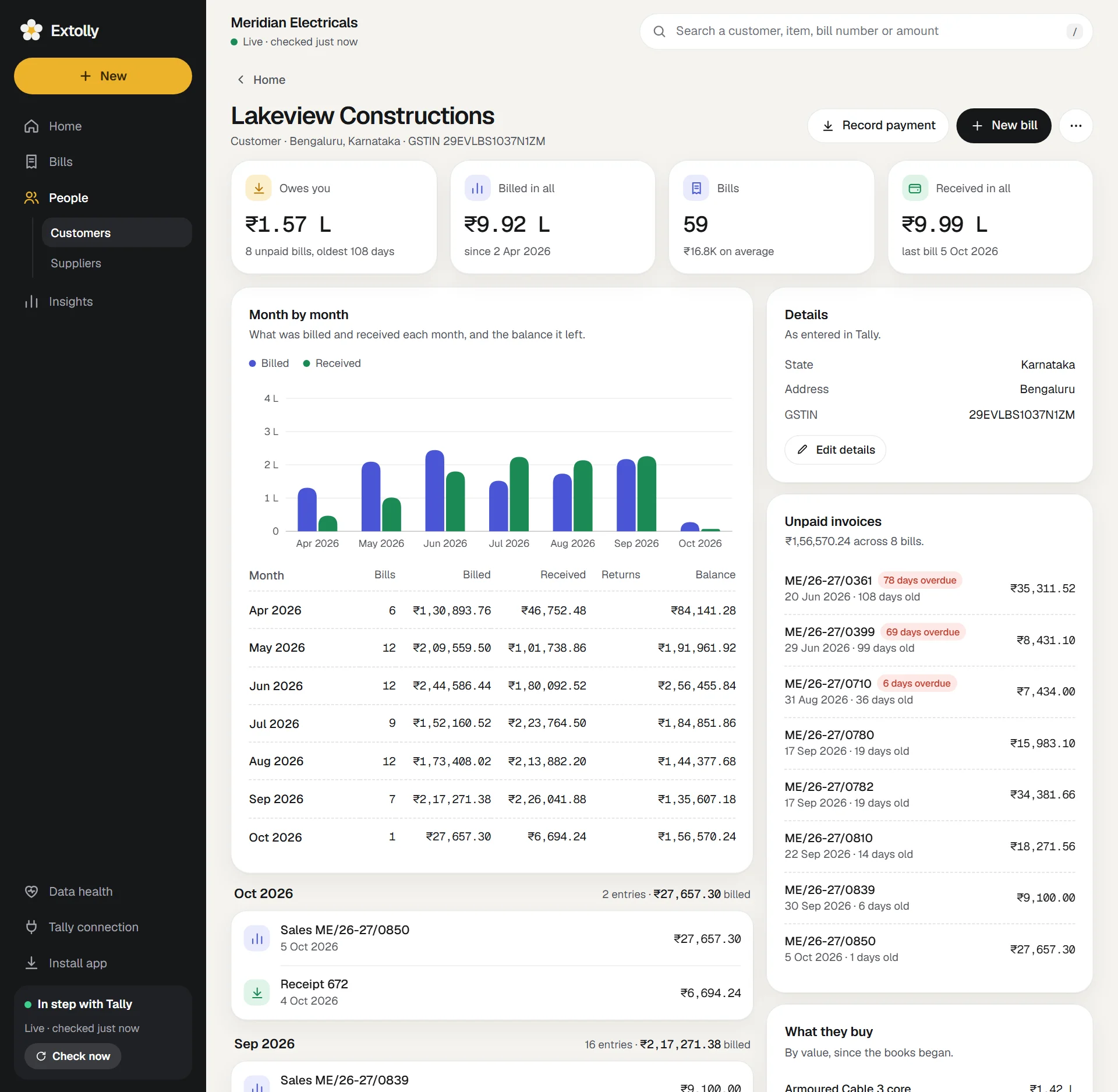
Four figures at the top:
| Figure | Meaning |
|---|---|
| Owes you (or You owe, or In advance) | The balance today, with the number of unpaid bills and the age of the oldest |
| Billed in all | Since your books began |
| Bills | How many, and the average |
| Received in all | Since your books began |
Month by month. A chart and a table with a row for every month: bills, billed, received, returns, and the balance the month left. A first row, Brought forward, appears when the party had an opening balance.
Every entry with the party, newest first, under month headings. Press one to open it.
On the right:
- Details as entered in Tally: state, address, phone, email, GSTIN.
- Unpaid invoices (or Bills to pay): each bill with how old it is, how many days overdue, and what is left unpaid.
- What they buy: their top items by value.
Buttons: Record payment, New bill (or New purchase bill), and under ...: Edit details, New credit note (or New debit note).
How "overdue" is worked out
- A bill falls due on its date plus its credit period. A bill with no credit period is due on its date.
- What a party owes is their ledger balance in Tally.
- Money received on account, and credit notes not yet used, are taken off the oldest bills first. So the unpaid bills listed always add up to the balance.
- If a balance is larger than the bills Tally lists for the party, the rest is shown as Not tracked bill by bill.
Add a customer or supplier
- Press New customer (or New, then Customer).
Fill in Name. The rest is optional: Phone, Email, Address, State, PIN code, GSTIN, if registered, Registered as and Days of credit.
- Press Add to Tally.
The customer is added to Tally under Sundry Debtors (a supplier under Sundry Creditors). You can also add a new customer while writing a bill: see Make a sales bill.
Extolly checks a GSTIN as you type it: it must have 15 characters, its last character must match the rest, and its first two digits must belong to the state you chose.
Edit a party's details
Open the party, press Edit details, change what you need, and press Save changes to Tally. Only what you change is sent.
Deleting a party
Extolly does not delete customers or suppliers from Tally. If you choose Delete, it explains why this party cannot be removed from here and, where Tally would allow it, how to do it in Tally itself.
Repeat buyers
Under Insights, Repeat buyers groups customers by the month of their first invoice and shows how many of each group kept buying.
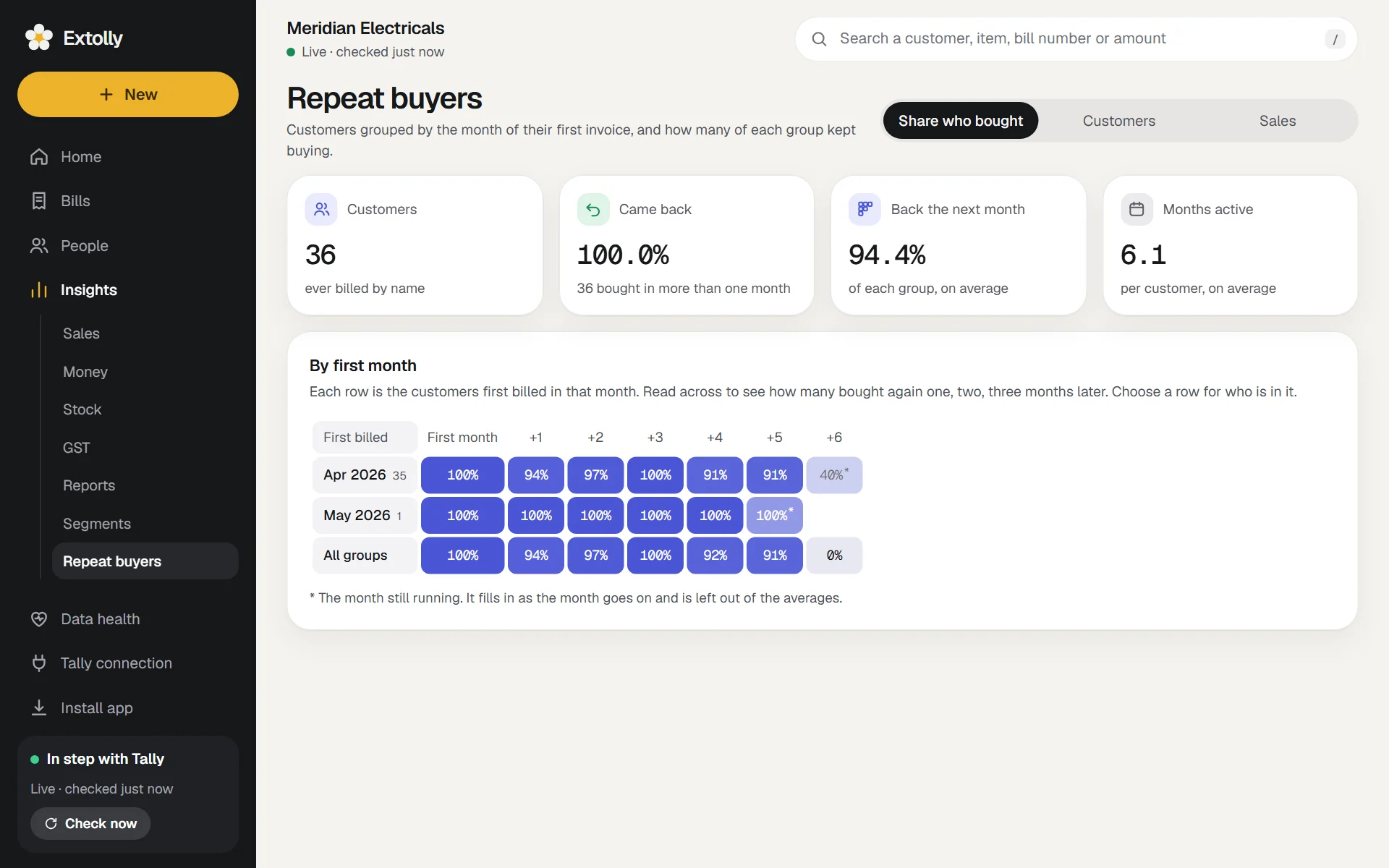
- Each row is the customers first billed in that month. Read across to see how many bought again one, two, three months later.
- Switch what the cells show: Share who bought, Customers or Sales.
- Press a month to see who is in the group.
- Four figures above sum it up: Customers, Came back, Back the next month, and Months active.
The month still running is marked with an asterisk and left out of the averages. Cash sales are left out, because no customer is named on them. The period picker does not apply here.
Still stuck? Write to support@extolly.com and say which step you are on.