All guides
GuidesYour books
GST
What you owe and why, the sales tables laid out for GSTR-1, tax paid on purchases, and how to fill in missing GSTINs, HSN codes and rates.
6 minute read
What the GST screen is, and is not
Under Insights, GST adds up the tax in your books for the chosen period and lays it out the way a return asks for it.
The top of the screen shows your GSTIN, your state and the period. Set the period to the month or quarter you are preparing.
There are four tabs: What you owe, Sales for GSTR-1, Tax paid on purchases and Missing details.
What you owe
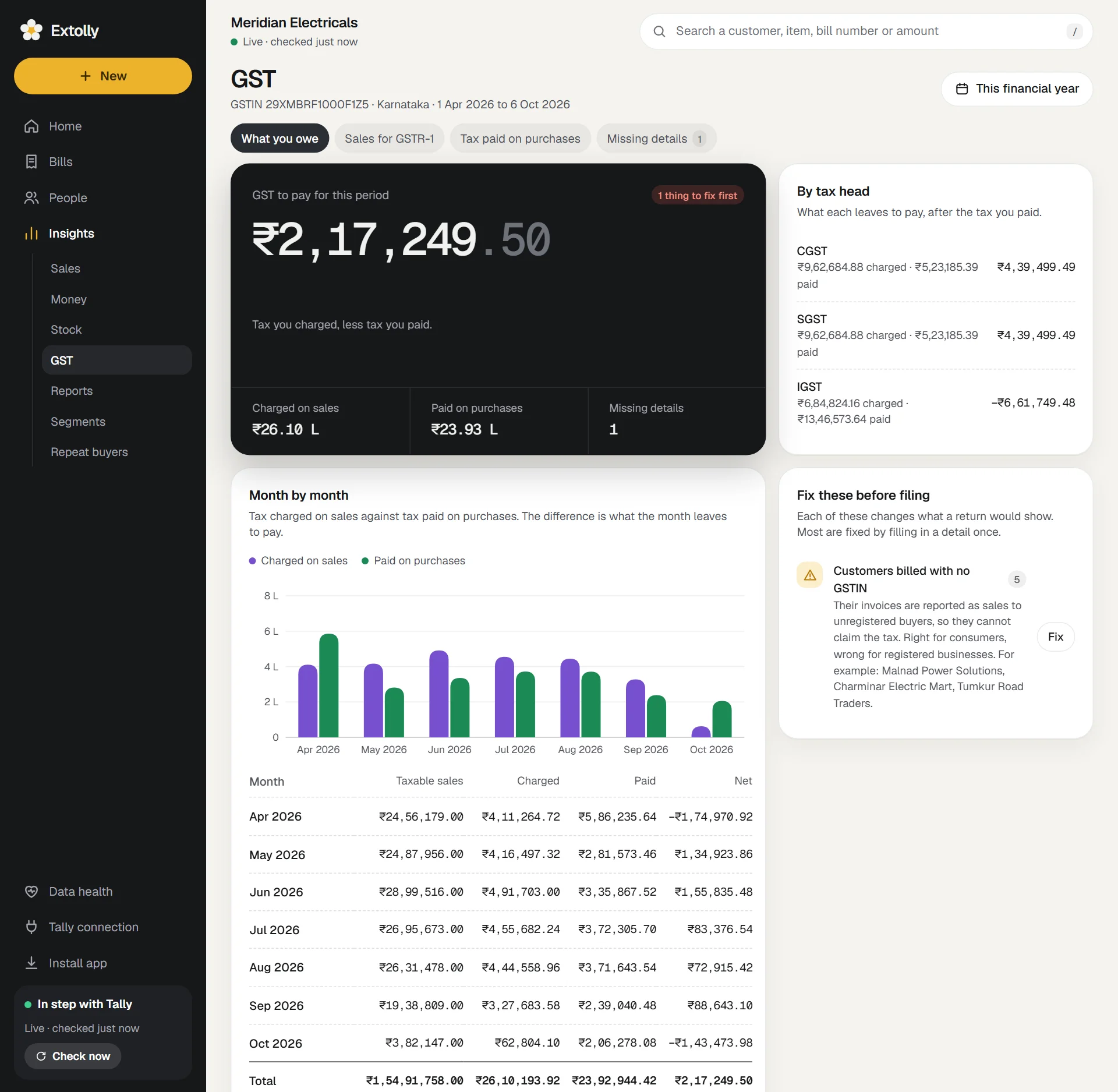
- The dark card gives the answer: GST to pay for this period, or GST credit to carry forward when you paid more tax on purchases than you charged on sales. A tag says Nothing to fix or how many things to fix first.
- By tax head: CGST, SGST and IGST (and Cess when there is any), each with what was charged, what was paid, and what that leaves.
- Month by month: tax charged on sales against tax paid on purchases, with a table of taxable sales, charged, paid and net.
- Fix these before filing: problems Extolly found in the period.
- Sales by rate: taxable value at each GST rate.
Tax is counted from every entry that touches a tax ledger, not only from bills. Rent with GST entered as a journal or a payment is included.
"Fix these before filing"
Each line says how many entries are affected, what it does to a return, and gives up to three examples. Lines with a Fix button can be put right under Missing details.
| Problem | What it means |
|---|---|
| Your own GSTIN is not in Tally | Invoices and these papers cannot show it |
| Parties whose GSTIN looks wrong | The return will be rejected for these invoices until the number is corrected |
| Sales with no GST charged | Shown at 0%. Correct if the supply is exempt or nil rated; otherwise the tax is missing |
| Sales where the tax does not match a GST rate | The tax charged is not a standard percent of the value |
| Tax head does not match the place of supply | CGST and SGST are for sales within your state, IGST for sales to another state |
| CGST and SGST differ on the same invoice | They are always equal. One of the two was typed wrongly |
| Items sold with no HSN code | The HSN summary lists their sales without a code |
| Items sold with no GST rate set | Their rate is worked out from the tax on each bill |
| Customers billed with no GSTIN | Reported as sales to unregistered buyers. Right for consumers, wrong for registered businesses |
| Tax ledgers kept outside Duties & Taxes | Counted here, but Tally's own GST reports leave them out |
Sales for GSTR-1
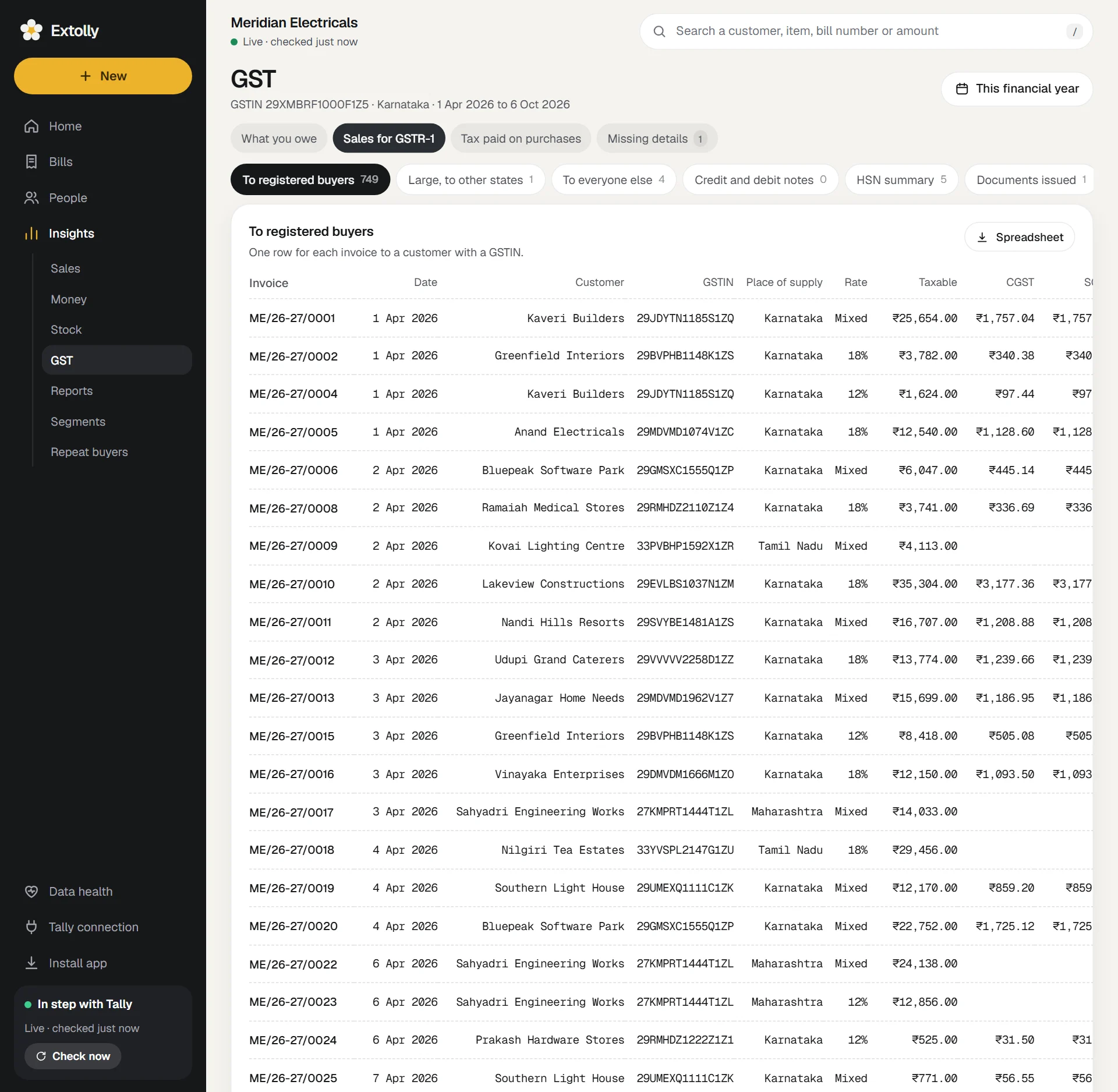
Choose a table with the chips. Each shows a count.
| Table | Holds |
|---|---|
| To registered buyers | One row for each invoice to a customer with a GSTIN |
| Large, to other states | Invoices over ₹1,00,000 to buyers in another state who have no GSTIN |
| Exports | Sales to buyers in another country, when there are any |
| To everyone else | All other sales to buyers with no GSTIN, added up by place of supply and rate |
| Credit and debit notes | Notes raised on customers |
| HSN summary | Everything sold, by HSN code, unit and rate |
| Documents issued | How many of each document, the range of their numbers, and how many numbers in the range are missing |
- An invoice number is a link to the entry.
- A rate shown as Mixed means the bill carries more than one rate.
- The screen shows the first 300 rows of a table. Spreadsheet downloads all of them.
Tax paid on purchases
One table: each purchase bill and note with its supplier, GSTIN, rate, taxable value, CGST, SGST, IGST and value, and the total input tax above it. Spreadsheet downloads it.
Match this with what your suppliers have filed before claiming it. Extolly does not do that matching.
Missing details
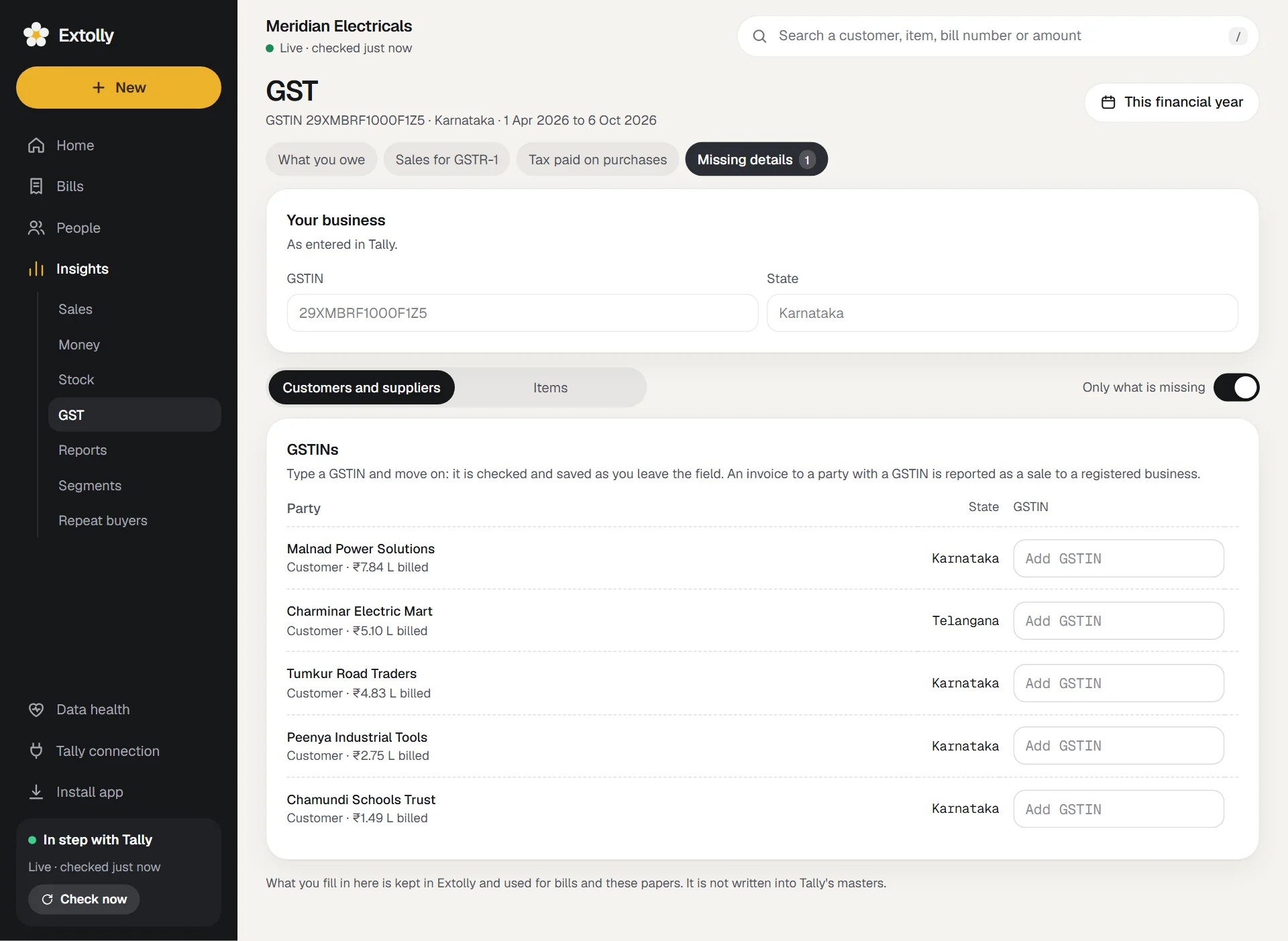
This tab is where you fill in what Tally does not have, so the papers are complete.
- Switch between Customers and suppliers and Items. Only what is missing is on to begin with, so you see just the gaps.
- For a party, type its GSTIN in the box and move on. It is checked and saved as you leave the box.
- For an item, type its HSN code and choose its GST rate.
A saved box is outlined in green. A box with a problem is outlined in red with the reason, for example "A GSTIN has 15 characters" or "That GSTIN's last character does not match the rest."
Each row carries a tag: From Tally when the value came from Tally (and is locked), or Filled in here when you typed it into Extolly.
The lists are sorted by amount billed, largest first, and show up to 200 parties and 300 items at a time. As you fill them in, the next ones come up.
Download for your accountant
Every table has a Spreadsheet button. It saves a CSV file, which opens in Excel or any spreadsheet program, named with the table and the dates.
If GST is switched off in Tally
A note at the top says so, and nothing is flagged as missing. Any tax that is in the books is still added up.
GST on bills you make in Extolly
When you write a sales bill, Extolly works out CGST and SGST or IGST for you from the customer's state and each item's rate. See Make a sales bill.
Still stuck? Write to support@extolly.com and say which step you are on.